Equipment Inspections
The fire truck inspection app your crew will actually use
Build an apparatus checklist once, start the check by scanning a sticker on the truck, and keep a permanent record of every result. Built for volunteer and composite fire departments.
30-day free trial. No credit card required.
Apparatus checks without the clipboard
Most halls still run truck checks on a paper sheet in a binder or a spreadsheet one officer keeps up. Sheets go missing, nobody can say for sure whether last Tuesday's check happened, and when something fails the chief hears about it days later, if at all.
FirehallDB is equipment inspection software built around how checks really get done: one member, in the bay, with a phone, working through the truck one compartment at a time. Every answer saves as they go, every finished check becomes a permanent report, and admins know right away when a check turns up a problem.
The same system covers the station, the SCBA room, and any other equipment you check on a schedule, so every inspection in the department lives in one place.
How It Works
How a truck check works, step by step
- 1
Build the checklist once
Lay the truck out the way it is actually packed: nested locations for compartments, cabinets, and shelves, with items you drag into order. Set expected quantities, mark the items that must be checked, and import a long item list from a CSV file instead of typing it in.
- 2
Set the schedule and the truck
Give the inspection a recurrence, such as daily, weekly, or monthly, and bind it to a specific apparatus. Checks that are not tied to one unit, like the station or the SCBA room, run as general inspections.
- 3
Scan the sticker to start
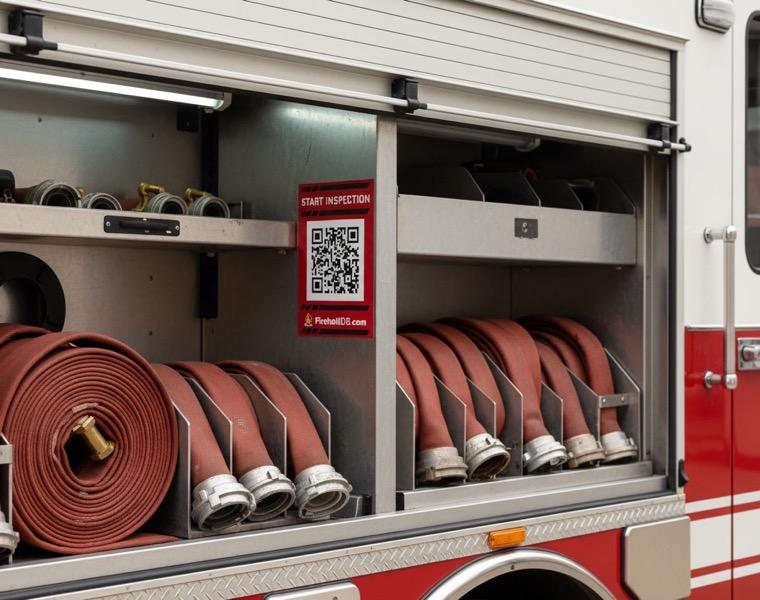
Print a Quick Link for the inspection as a QR sticker and put it on the truck door or a compartment divider. A member scans it with their phone and lands on that check, with no hunting through menus.
- 4
Work through it one location at a time
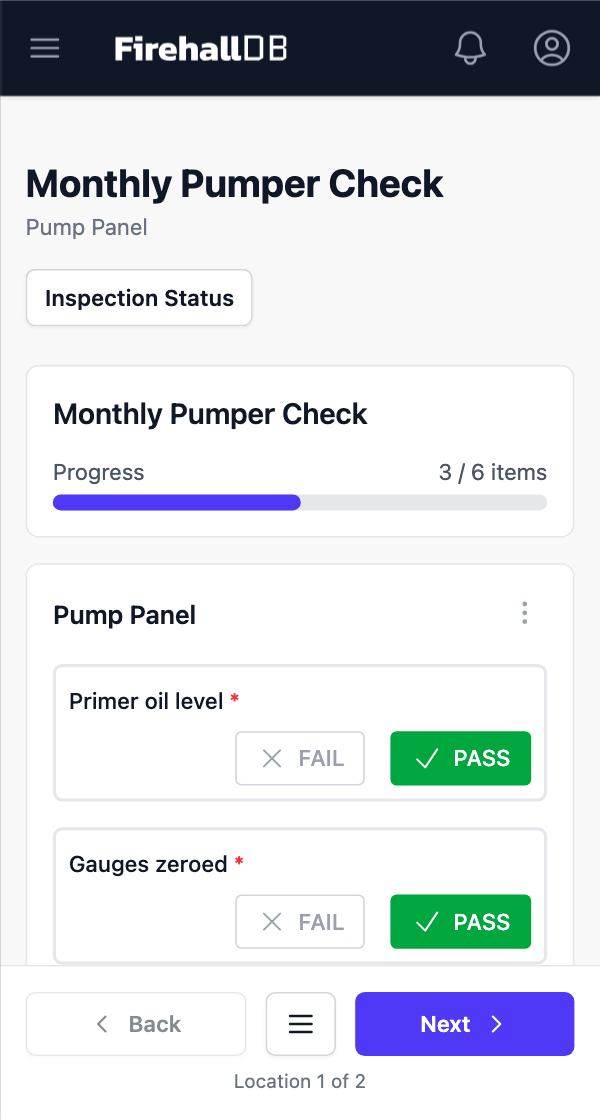
The guided mobile flow shows one compartment at a time. Mark each item pass, fail, or N/A, add a note or a photo where something is wrong, and watch the progress meter. Every answer saves as you go, so a check started in the bay can be finished later from any device.
- 5
The report files itself
Submitting the check creates a permanent report with the inspector, how long it took, the overall status, and every item result. If anything failed, admins are alerted the moment the inspection is completed.
QR Stickers
Put the check where the truck is
Quick Links are short URLs that open a specific inspection, a truck's page, or a new incident report. Print them as QR stickers and put them where the check starts: the driver's door, a compartment divider, the SCBA cabinet. The scan takes a second, and “I couldn't find the checklist” stops being a reason the check was missed.
Inspection records that hold up later
When someone asks whether the pumper was checked before it went out, you want an answer, not an afternoon in a filing cabinet.
- Reports snapshot the checklist, so an inspection from last spring still shows exactly what was on the truck that day, even after the template changes.
- Every report carries an overall status of pass, fail, or needs review, plus the inspector’s name and the time it took.
- Items an inspector finds that are not on the list can be promoted into the template in one click.
- Each apparatus card in the fleet module shows the truck’s full inspection history beside its response history.
- Pass / fail, quantity, and text-note items cover everything from a missing pike pole to a low SCBA cylinder.
- Runs in the browser on any phone, tablet, or desktop, in light or dark mode.
Who it is for
FirehallDB is built for volunteer and composite departments, where the people doing truck checks are also holding down day jobs.
Chiefs
One place to see which trucks were checked, by whom, and what failed, without chasing a binder or a group text. When council, an insurer, or a lawyer asks, the record is already there.
Officers
A checklist you can hand to a probationary member without a walkthrough, and an alert when their check turns up a problem instead of hearing about it at the next practice night.
Firefighters
A phone and a few minutes instead of a clipboard and a pen that quits in the cold. Scan, check, submit, and get back to your evening.
Inspections work alongside the rest of the hall. See how incident reporting works in FirehallDB.
Try it on your own apparatus
Start a 30-day free trial, build the checklist for one truck, and run the first check this week. No credit card and no sales call. Inspections are included on every plan.
Common questions
Can we move our existing paper truck check into FirehallDB?
Yes. Recreate the compartments as locations, import the items from a CSV file, then set quantities and required items. Most departments start with one truck, run a few checks, and then build out the rest of the fleet.
Does the inspection app work on a phone?
Yes. The inspection flow is designed for a phone in the apparatus bay first. It runs in the browser, saves after every answer, and works just as well on a tablet or desktop.
What happens to old reports when we change a checklist?
Nothing. Each report keeps a snapshot of the template it was completed against, so historical inspections stay accurate after you add, remove, or reorder items.
Are equipment inspections an extra cost?
No. Inspections are included on both the Basic and Pro plans, along with incident reporting, roster and training, fleet, and the calendar. The plans differ only in limits.